
Which Notation Programs Handle MusicXML Import Correctly?
This MusicXML import test started with a problem. THIS VIDEO IS OLD AND USES OLD VERSIONS OF SOFTWARE; ALSO FINALE (RIP) IS GONE. But this is still useful to know…
First, I recorded a guitar arrangement in Mixcraft. Then I used the Melodyne engine inside Mixcraft to turn it into MIDI, and I cleaned it up in Guitar Pro. However, when I opened the MusicXML file in Dorico, it was a disaster. So, to find out whether the file was the problem, I brought the same file into six notation programs and compared the results.
What I cover:
- Importing MusicXML into Dorico
- Finale
- Guitar Pro
- MuseScore
- Sibelius
- Noteflight
- The best and the worst
What Is MusicXML?
MusicXML is a standard file format for sharing sheet music between programs. In theory, you can export a score from one app and open it in another with the notes, rhythms and TAB intact. In practice, though, every program reads the file a little differently. You can read more on the official MusicXML site.
Last Place: Dorico
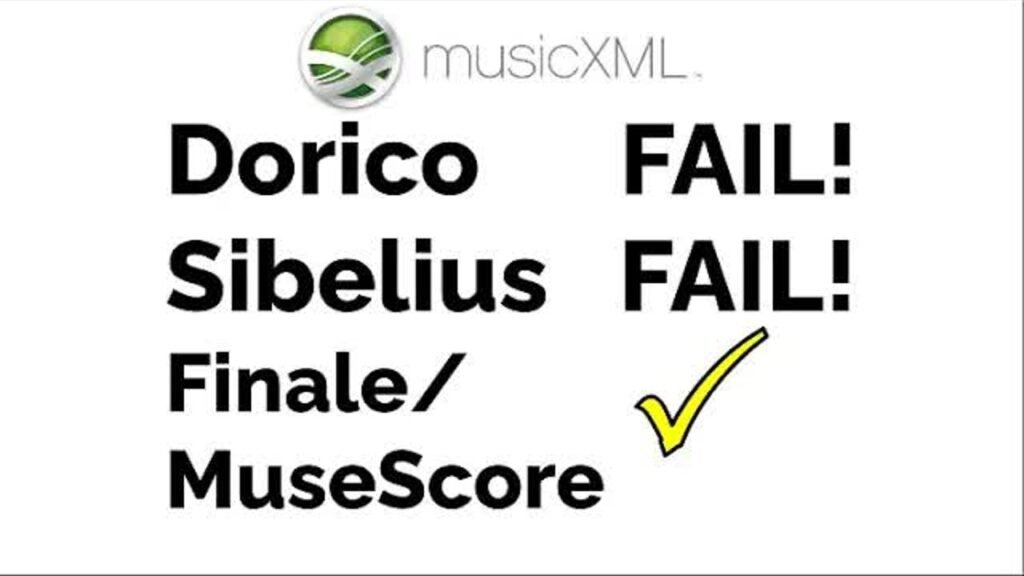
Dorico split chords apart and misread notes and timing all through the piece. As a result, fixing it would take too much work. Also, when I imported from inside an open session, the music landed an octave too low. Importing from the start screen fixed the octave. Even so, there was still no TAB, and the chords were still broken up.
Second Worst: Noteflight
Noteflight randomly put some measures in the wrong octave. For example, a few measures came in at the right pitch, but the rest of the piece jumped up an octave. You also have to change the instrument yourself. It’s fixable, but it’s extra work you shouldn’t have to do.
Sibelius and Guitar Pro: Close, but Not Quite
Sibelius created good standard notation in the right octave for guitar. However, it left out the TAB completely. Guitar Pro, on the other hand, loaded the file fast and the page looked good. Still, it needed a fix, since one eighth note came back in as a quarter note. Interestingly, that is the same spot that went wrong in Dorico.
The MusicXML Import Winners: Finale and MuseScore
Both Finale and MuseScore came in correct with only minor fixes. Finale flagged one slur error in measure 23. Even better, it played the piece back with a guitar sound. Meanwhile, MuseScore 3 recognized the part as guitar and put it in the right octave. That is impressive for free software.
Which Program Should You Use for MusicXML Import?
If you need a clean MusicXML import for guitar, MuseScore is the easiest place to start. It’s free, and you can download it from musescore.org. Finale also did a great job in my test. Keep in mind, though, that MakeMusic stopped selling and updating Finale in 2024.
Ironically, if Dorico could read MusicXML correctly, its note grouping would have been the easiest to read. It beams the notes in quarter-note groups, which makes busy guitar parts much clearer. Until that changes, check every Dorico import carefully before you trust it.
More on notation software: Guitar Pro 8 Review, Dorico 4 Tips and Tricks, TAB from MIDI with MuseScore and Create TAB in Mixcraft Pro.